Security and safety
Chargeless moves money without a person approving each step. This page covers the controls that keep that safe: the emergency stop, confirming it's you, the Audit Log, API keys, and what data Chargeless keeps.
The emergency stop (kill switch)
Settings → General → Kill switch.
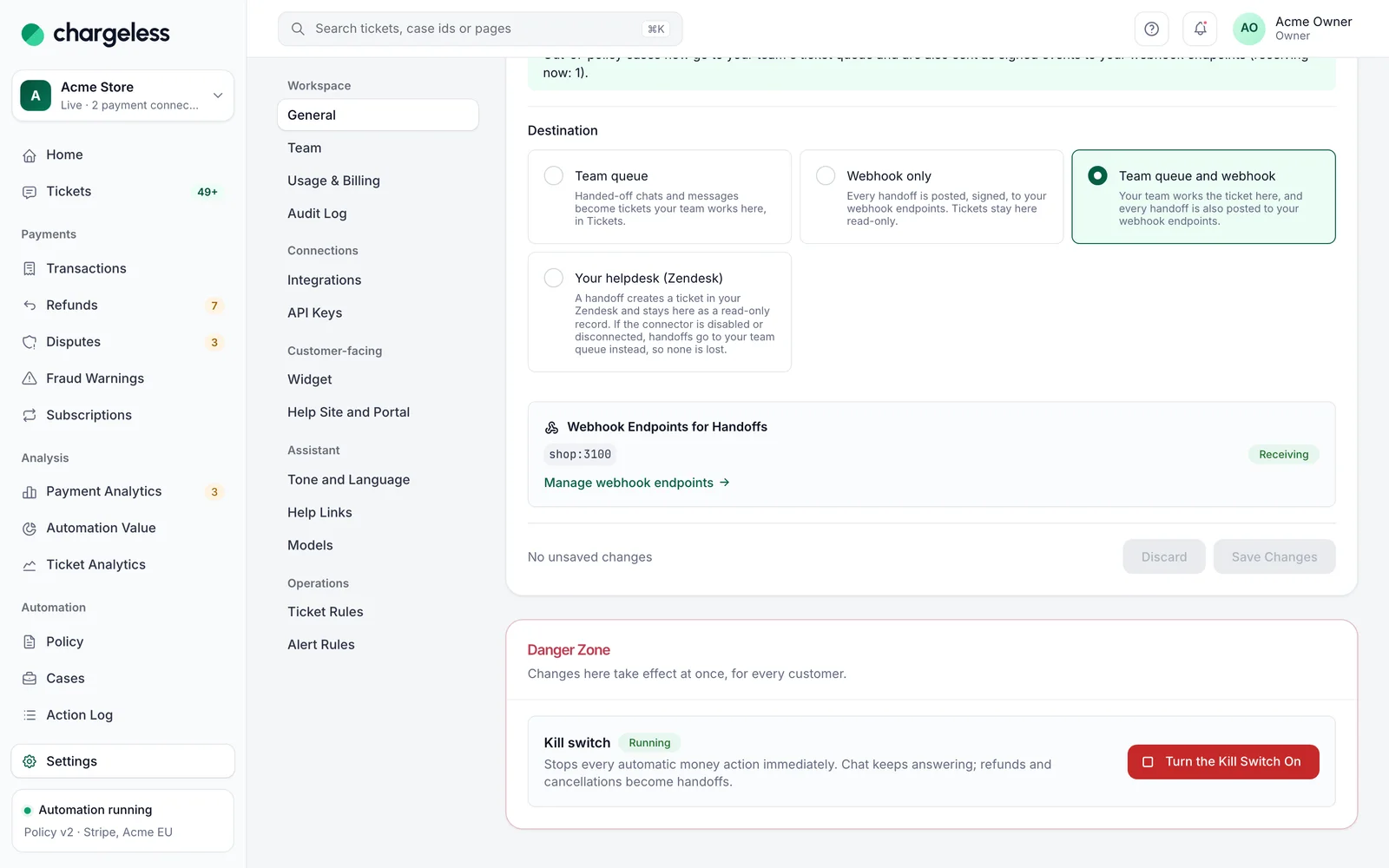
- Turn the Kill Switch On stops every automatic money action immediately. The chat keeps answering, but refunds and cancellations become handoffs to your team, and disputes go to your team too. While it is on, your team cannot refund or cancel from the panel either, not even beyond the policy.
- Anyone except an analyst can turn it on, at once, with no password or code. You can turn it on even while your workspace is suspended.
- Turn the Kill Switch Off resumes the automation. Only owners and admins can, and they must confirm it's them.
Two more stops can apply, set by Chargeless: a pause for your workspace ("Paused by Chargeless") and a platform-wide pause. Both act like your switch, and your own switch cannot lift them; contact Chargeless support.
Use the stop whenever something looks wrong (an unexpected run of refunds, a leaked key, a policy you published by mistake), then investigate.
Safety limits that always apply
Whatever your policy says, every automatic refund is checked against:
- what is left to refund on the charge,
- the per-customer refund limit,
- your workspace's hourly refund amount (per currency) and daily refund count,
- the circuit breaker, which hands refunds to your team when they run far above your usual hourly rate.
You can tune these limits in the policy but not remove them, and nobody can go past them, not even with an override. See Safety limits.
Confirming it's you (step-up)
Sensitive actions open Confirm It's You. A confirmation stays valid for 5 minutes.
- With two-factor on, you confirm with an authenticator or recovery code. Your password is not accepted.
- Without two-factor, your password (or Google) is enough for most actions. The actions that need an authenticator code are then unavailable.
| Needs any confirmation | Needs an authenticator code |
|---|---|
| Going live; turning the emergency stop off; changing where handoffs go or the widget's allowed pages; creating or revoking API keys; inviting, changing roles, removing members; CSV exports; attesting the conformance report; activating a payment connection; linking or unlinking Google | Storing Stripe keys or other secrets; your own payment system's settings and signing secrets; rotating or retiring any signing secret (widget, webhook, callback, helpdesk connector); creating or rotating webhook endpoints, and changing an endpoint's URL, adding an event to it or re-enabling it; helpdesk connectors and connecting Zendesk; disabling or enabling a payment connection; refunds and cancellations beyond the policy; new recovery codes; turning two-factor off |
Publishing a policy and everyday ticket work do not ask for a confirmation.
Your account
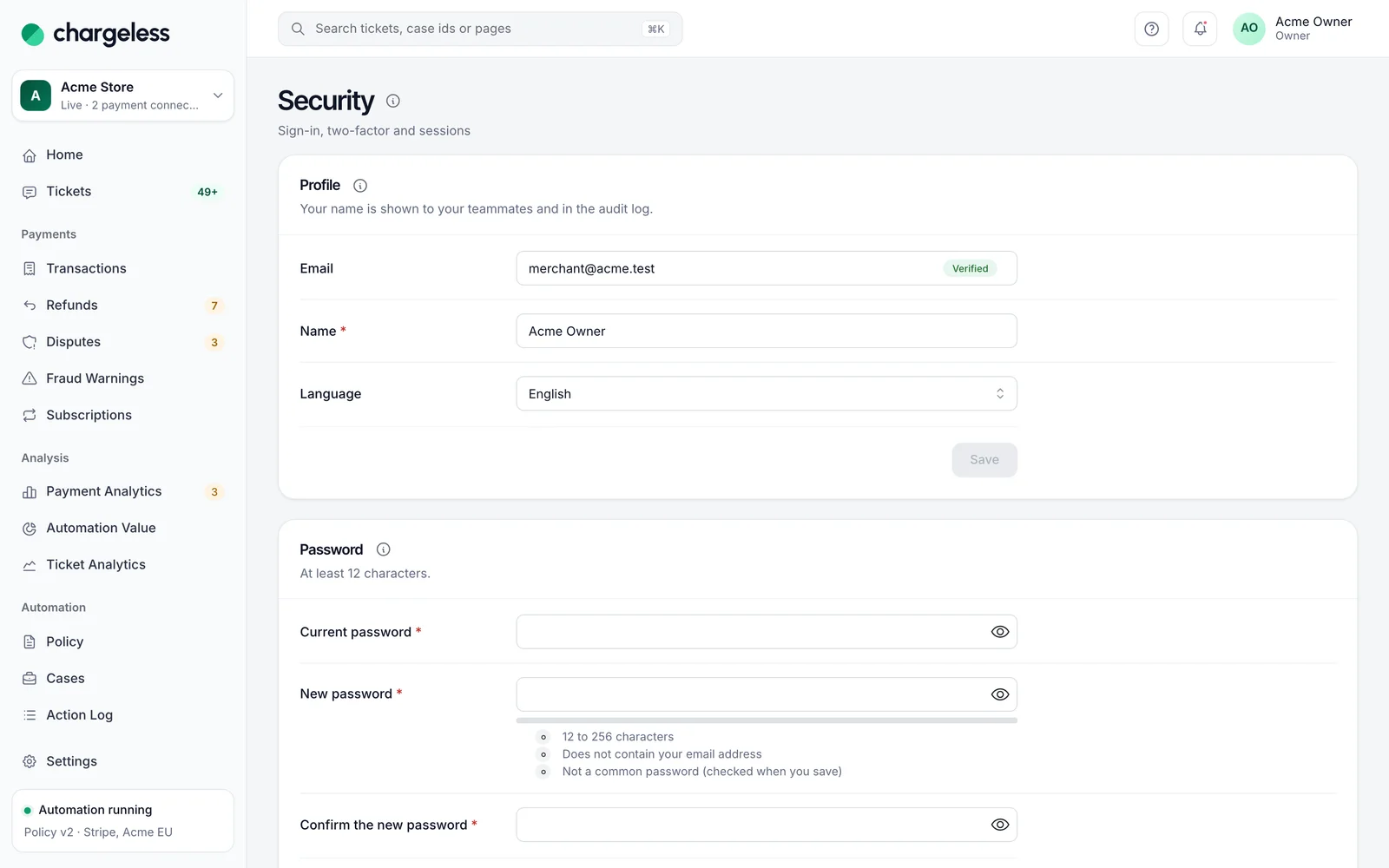
Security (under Account) has your profile and language, password, two-factor, Google sign-in and Where You Are Signed In (sign out any session).
- Sessions end after 12 hours without use and after 7 days at the latest.
- After 10 failed sign-ins on your account (or 30 from one network) in 15 minutes, sign-in pauses for 15 minutes.
- A password reset link is valid for 30 minutes; setting a new password signs you out everywhere.
- Using a recovery code, to sign in or to confirm it's you, spends it and signs out every other session.
Audit Log
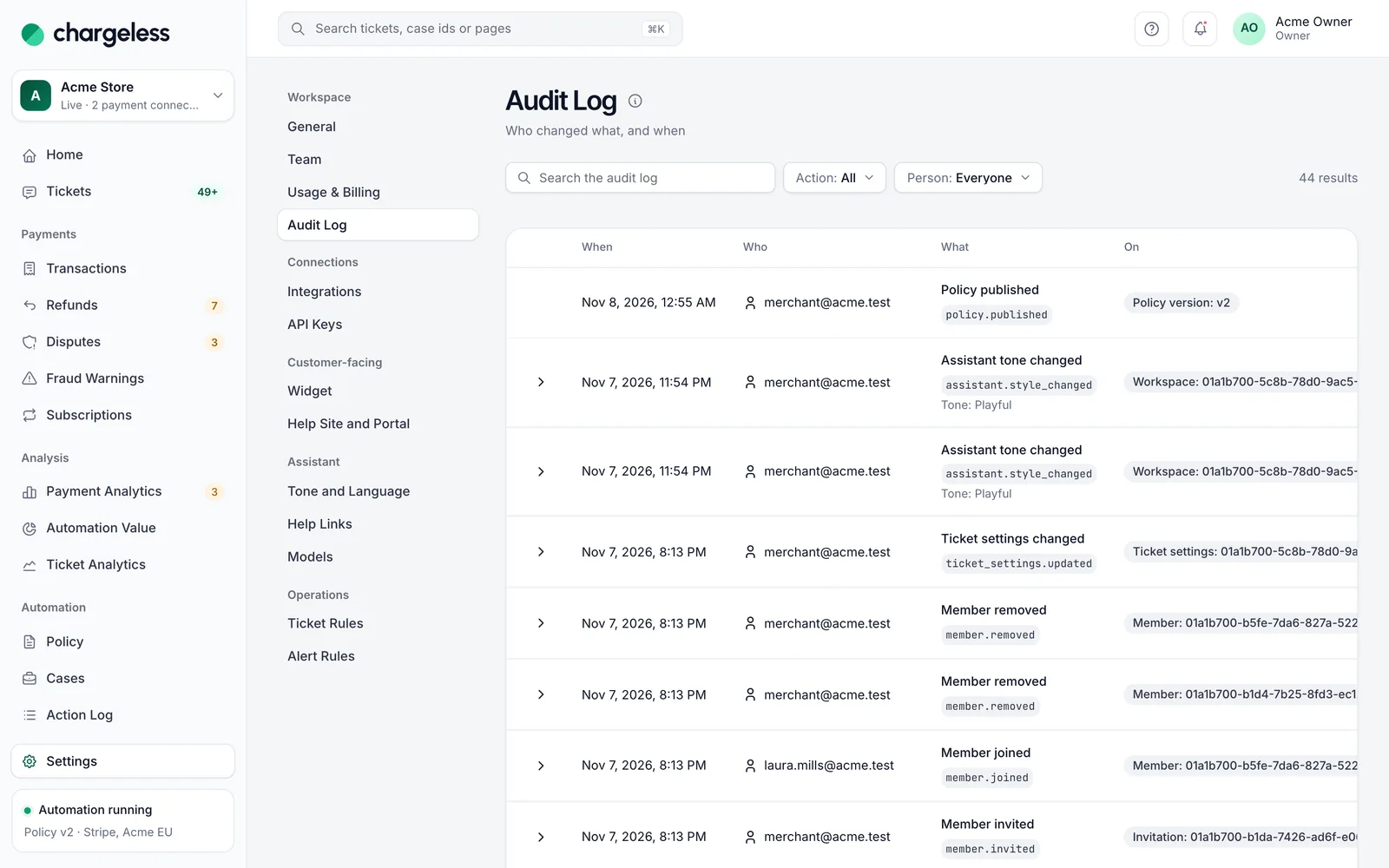
Owners and admins see the Audit Log in Settings → Audit Log: who did what and when, filterable by Action and Person. It records team and invitation changes, API keys, stored secrets, the emergency stop, handoff and widget changes, every published policy, going live, ticket settings, payment connections, helpdesk connectors, signing-secret changes, contract checks, conformance attestations and changes made by Chargeless. Webhook addresses appear as their scheme and host only.
Chargeless support access. When you ask Chargeless for help, a member of its team can open your workspace in a support session: a session of their own, never a login as one of your team, for at most 60 minutes. The Audit Log shows when it started and ended and every change it made, as Chargeless support. A support session cannot lift any limit of your policy: the emergency stop, the refund limits and the refundable amount apply to it as they apply to you.
The audit log cannot be edited.
API keys
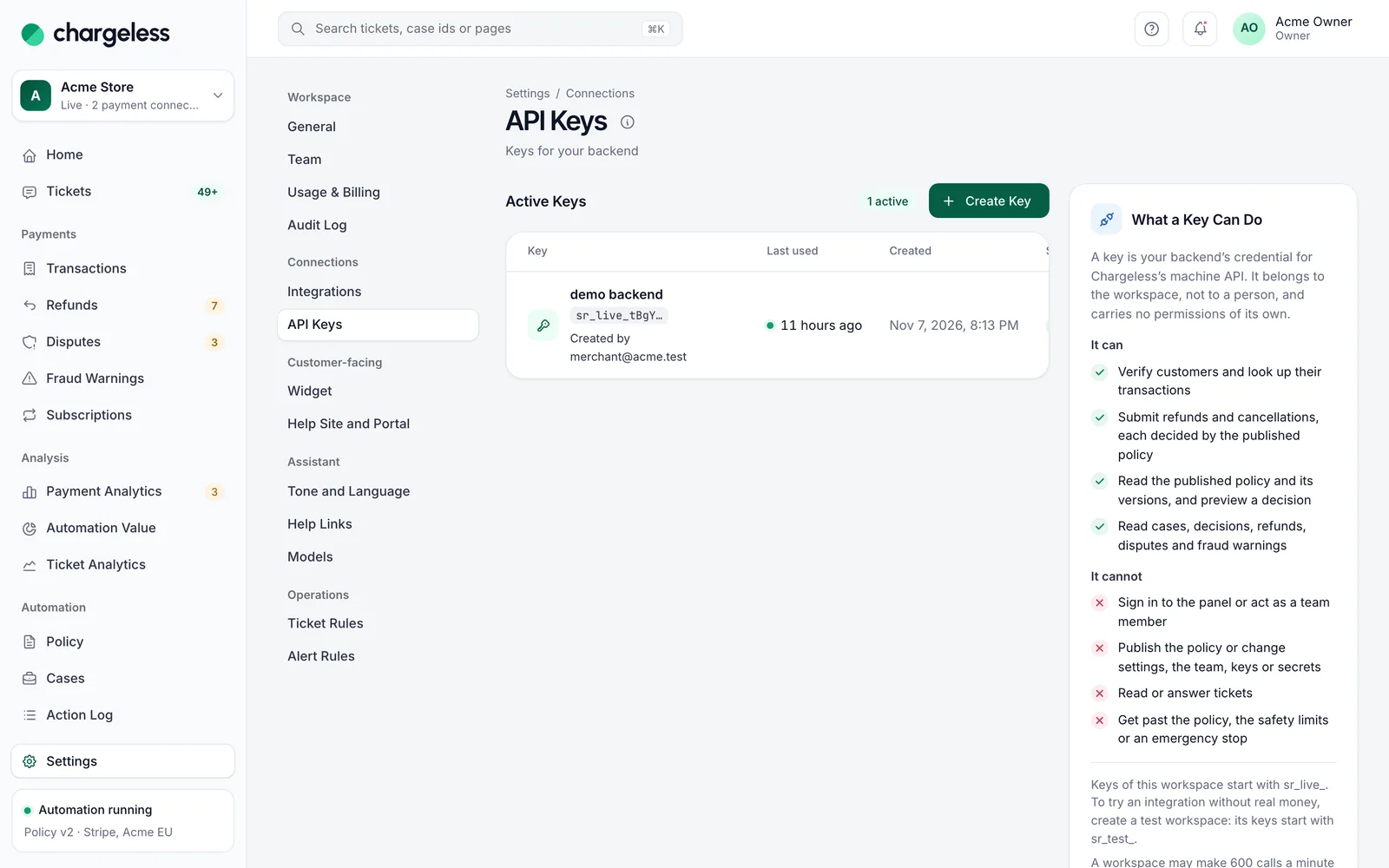
Settings → API Keys creates keys for your backend (owners, admins and developers). A key is shown once. Your engineers will find the API itself, with examples, in the developer guide.
A key can: verify customers and look up their transactions; submit refunds and cancellations, each decided by the published policy; read the policy and preview a decision; read cases, decisions, refunds, disputes and fraud warnings.
A key cannot: sign in to the panel, publish the policy, change settings, the team, keys or secrets, read or answer tickets, or get past the policy, the safety limits or an emergency stop.
Last used shows when each key was last seen. Revoke unused keys. While a workspace is suspended, its keys are refused.
In a test workspace keys start with sr_test_ and reach only that workspace; a live workspace's start with sr_live_. A workspace can make 600 calls a minute with its keys.
What Chargeless stores, and what it doesn't
- No card numbers. No card number, security code or full card data ever enters Chargeless. We keep the card brand, its last 4 digits and your provider's tokens. For Payment Analytics we also keep the first 6 or 8 digits of the card number (the BIN, which identifies the issuing bank); never more.
- IP addresses are stored only as a country.
- Logs and traces have emails, names and free text removed before they are written.
- Tickets are kept for a retention period you set in Settings → Ticket Rules → Data Retention (30 to 3,650 days after a ticket closes, 365 by default). After that the message bodies are removed and the requester's name and address are cleared.
- Customer identity must be verified before any payment detail is shown to a customer. An email's From line or a helpdesk's requester field is never treated as proof.
- The AI model never touches money. It drafts replies and proposes actions; Chargeless decides every action against your published policy, and outcomes shown to customers come from templates, not from the model. See How Chargeless works.
Suspended workspace
If Chargeless suspends a workspace, the panel says so. You can still view data, stop the automation and remove access (revoke keys and invitations, disable connectors), but you cannot change anything else, export, or use API keys.