Payments, cases and analytics
The panel shows every decision Chargeless made, the payments behind them, and how your payments and support are doing.
Home
Home shows today's decisions resolved automatically compared with yesterday, the outcomes for the period, what Chargeless refunded, disputes waiting for a response, tickets awaiting a reply and the most recent decisions. A developer, who does not see tickets or analytics, sees the integration's state instead: each connection, the widget, webhooks, the emergency stop and API keys.
Action Log and Cases
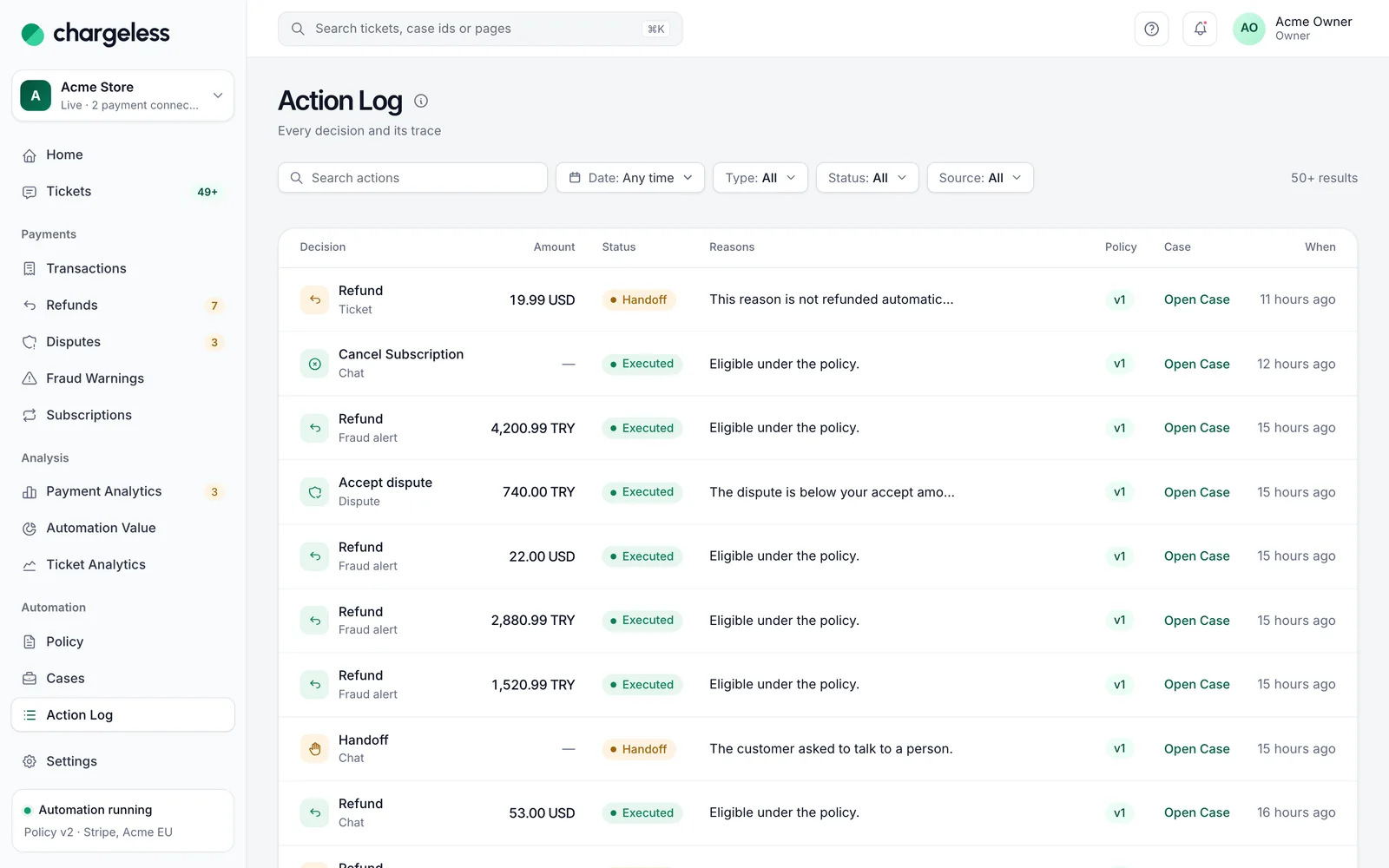
- Action Log: every action the system took or refused, with its decision trace. Filter by type, status, source (Chat, Fraud alert, Dispute, System, Ticket, Team member) and date. A row opens its case.
- Cases: one case per request (a chat request, a fraud warning, a dispute, a ticket, a team member's action), numbered from 1.
A case page tells the story: the timeline, then How It Was Handled: the payment, what started it, each decision under the policy version it was made with (and who published that version, with a link to it), each step it passed or failed in plain words, and the result at the provider. The engine's raw trace is under Technical Details. Your team can add Internal Notes.
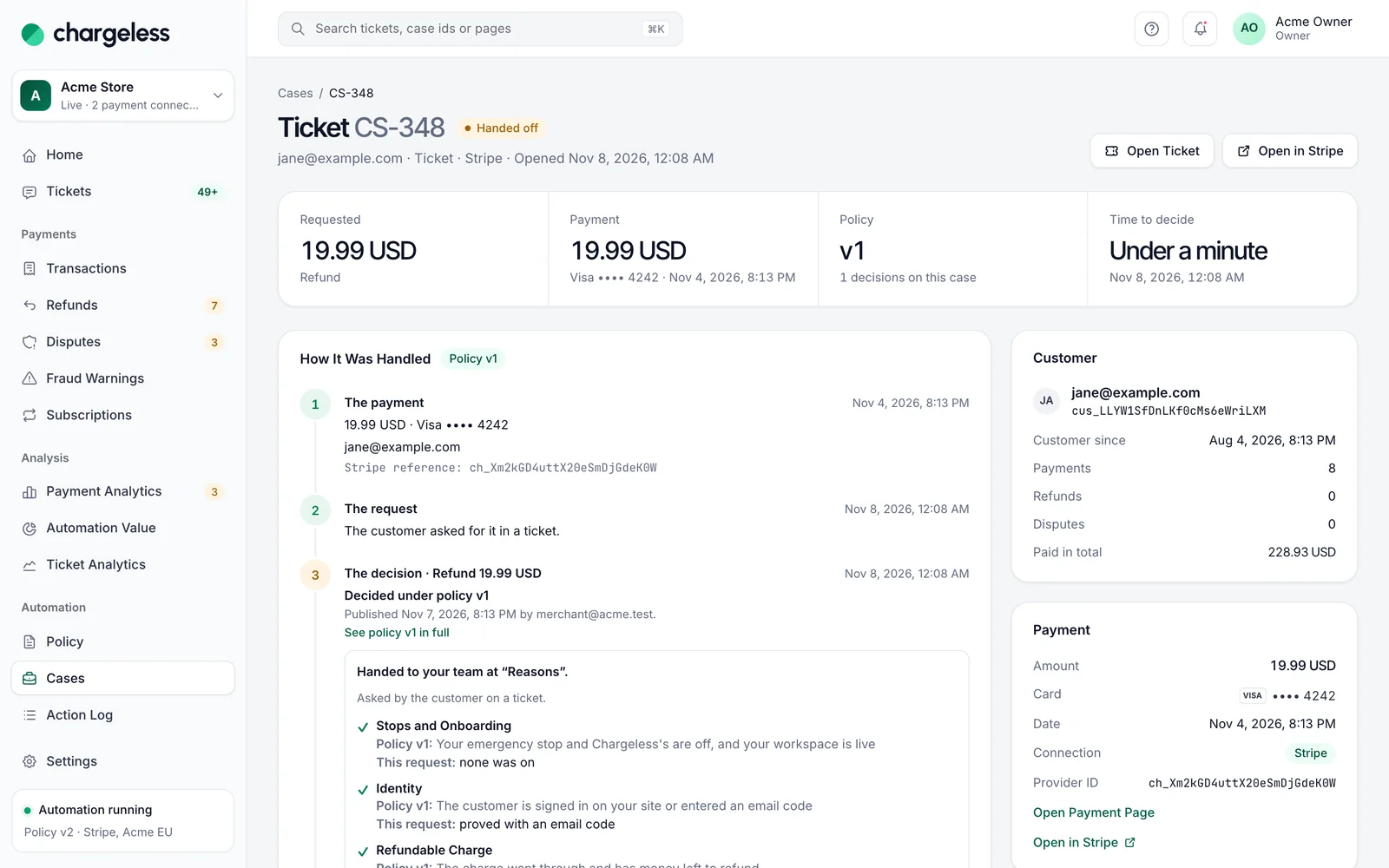
This is where you answer "why did the customer get this?" — see Troubleshooting.
Payments
Under Payments: Transactions, Refunds, Disputes, Fraud Warnings and Subscriptions. Lists filter by period (up to 400 days; Transactions up to 90 days), status, and payment connection when you have several.
- Transactions: every card payment attempt, approved or declined (needs access to Payment Analytics).
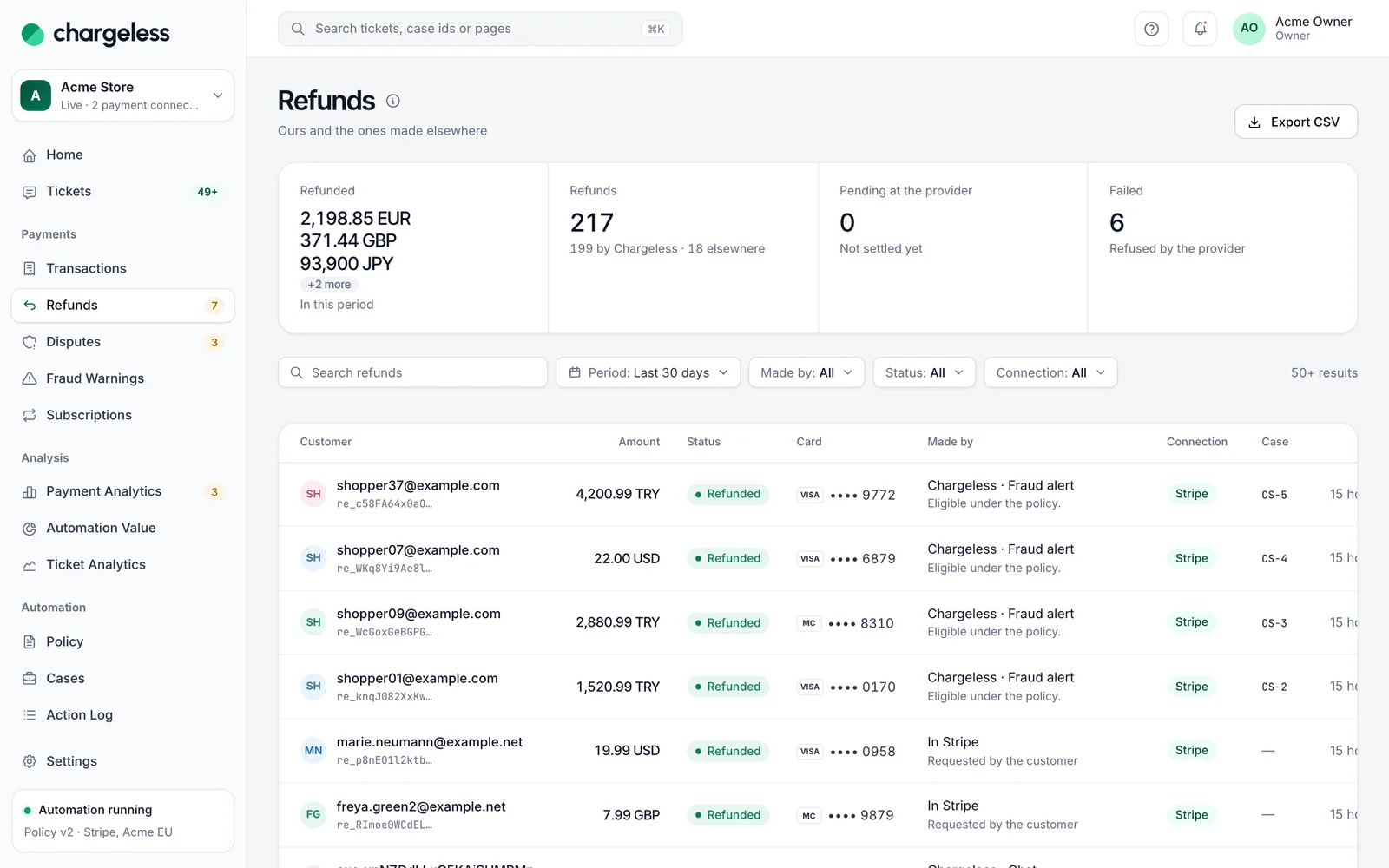
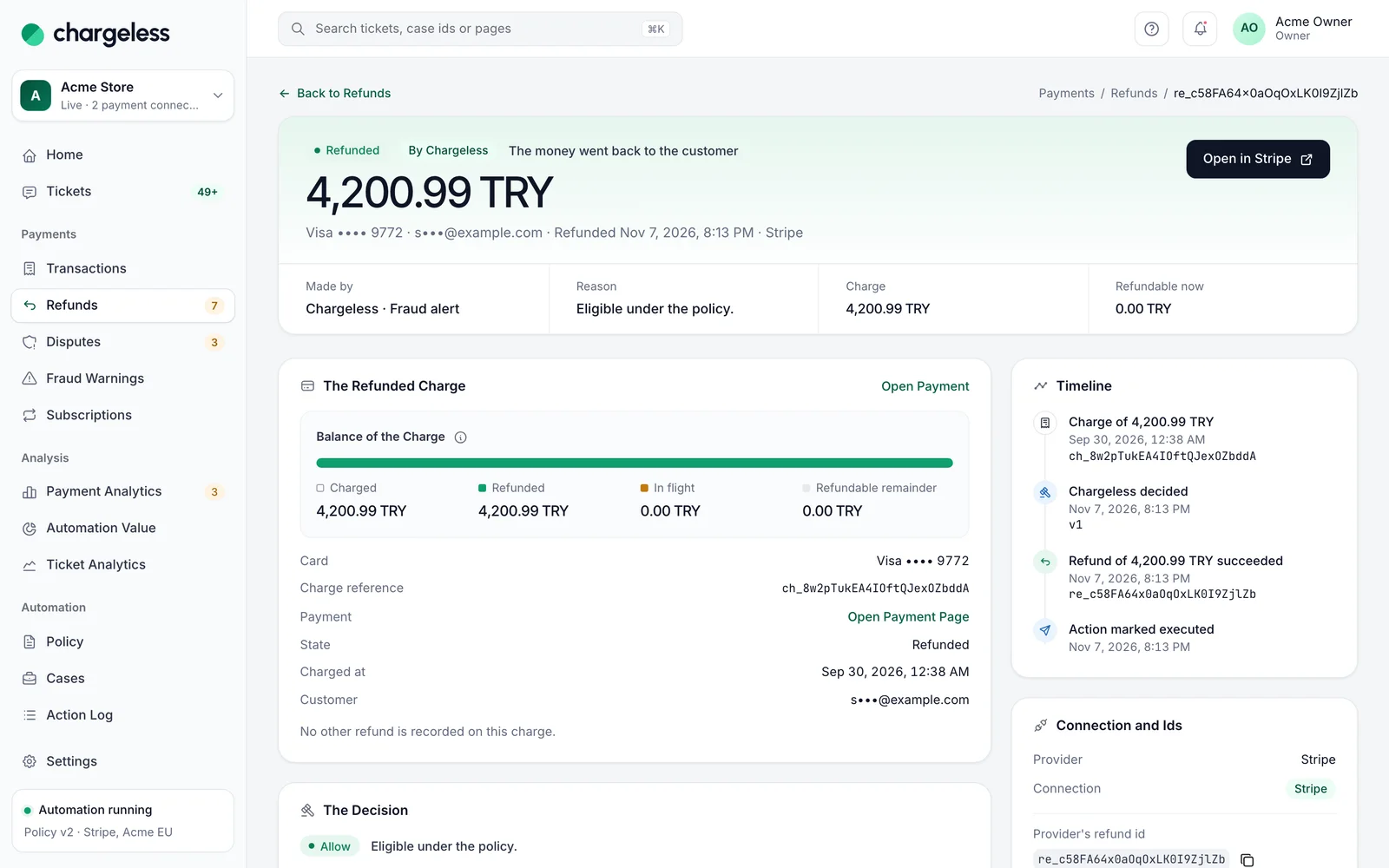
- Refunds: Chargeless's refunds and refunds made elsewhere (in your Stripe dashboard or reported by your own system), with pending, failed and reversed ones. Each refund page shows the charge, what is left to refund, other refunds on it, and the decision behind it (or that it was made outside Chargeless). Export CSV is available.
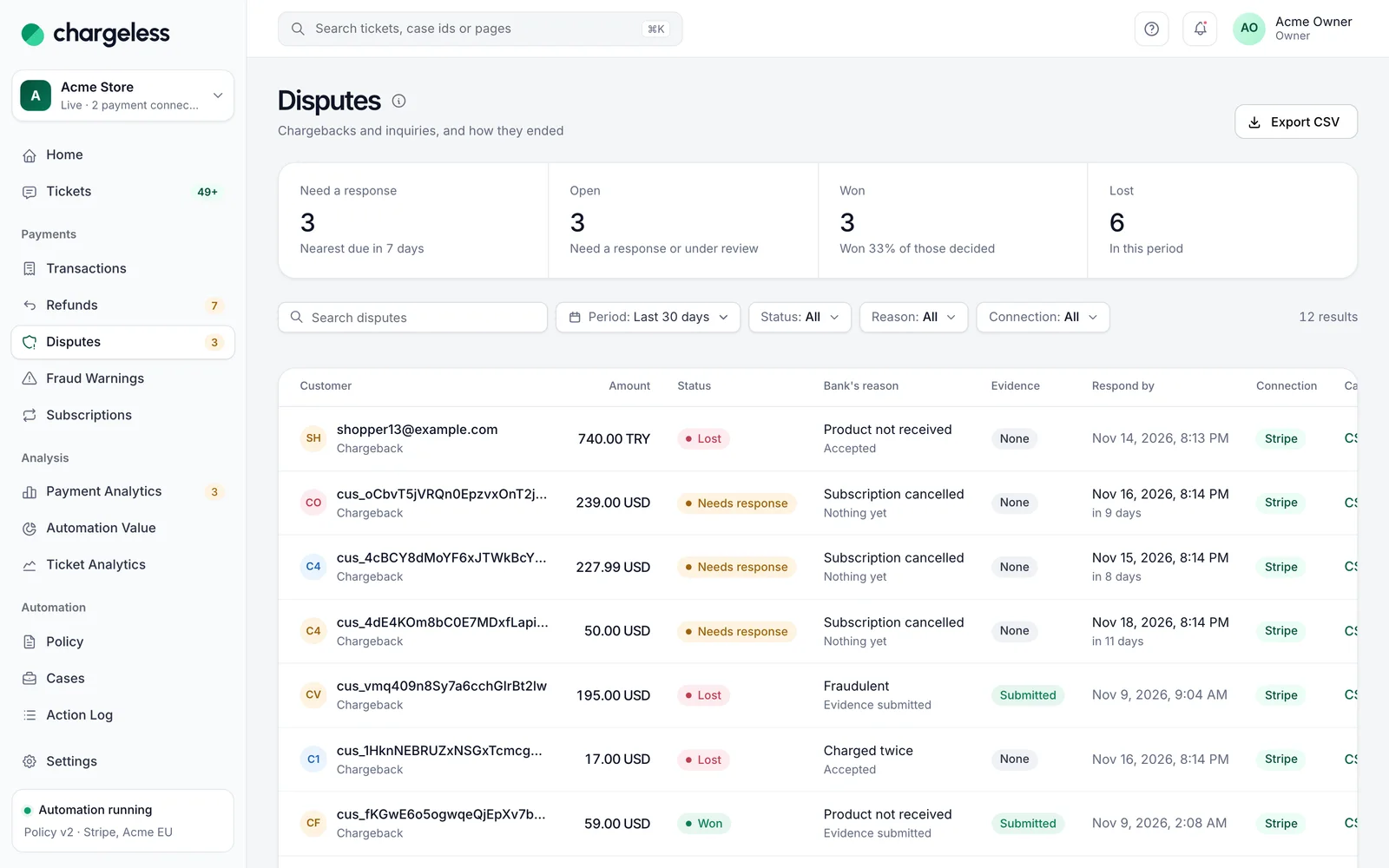
- Disputes: chargebacks and inquiries, their respond-by dates, what Chargeless did and how they ended, with your win rate. Export CSV is available.
- Fraud Warnings: early fraud warnings from the card networks and what was done about them.
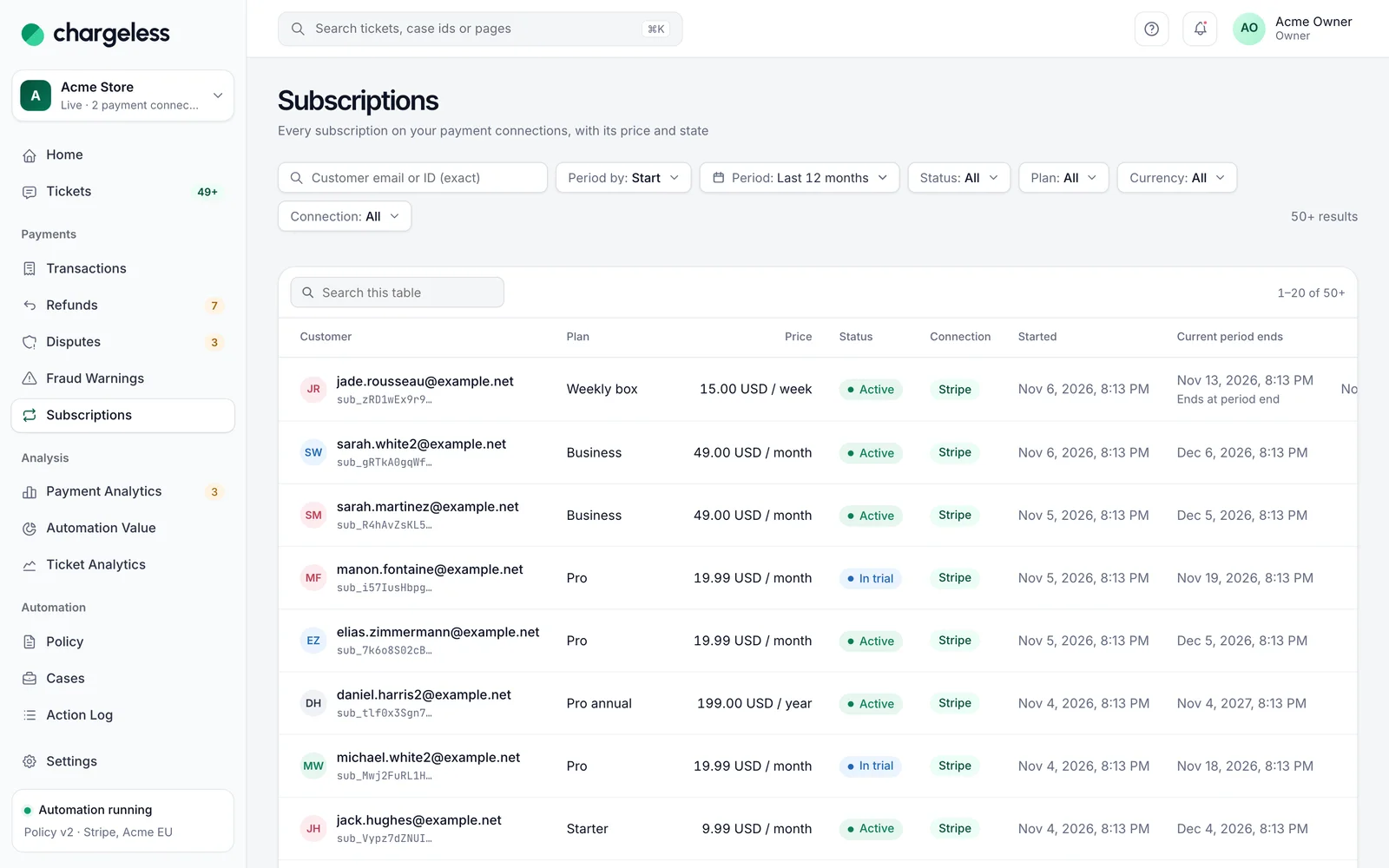
- Subscriptions: every subscription with its state, plan, charges, failed renewals, refunds, disputes and what Chargeless did.
Exports ask you to confirm it's you and are recorded in the Audit Log.
Refund a payment from the panel
Open a payment from Transactions (or from a refund, case or subscription). On a payment's page, members who can refund see Refund while something is left to refund:
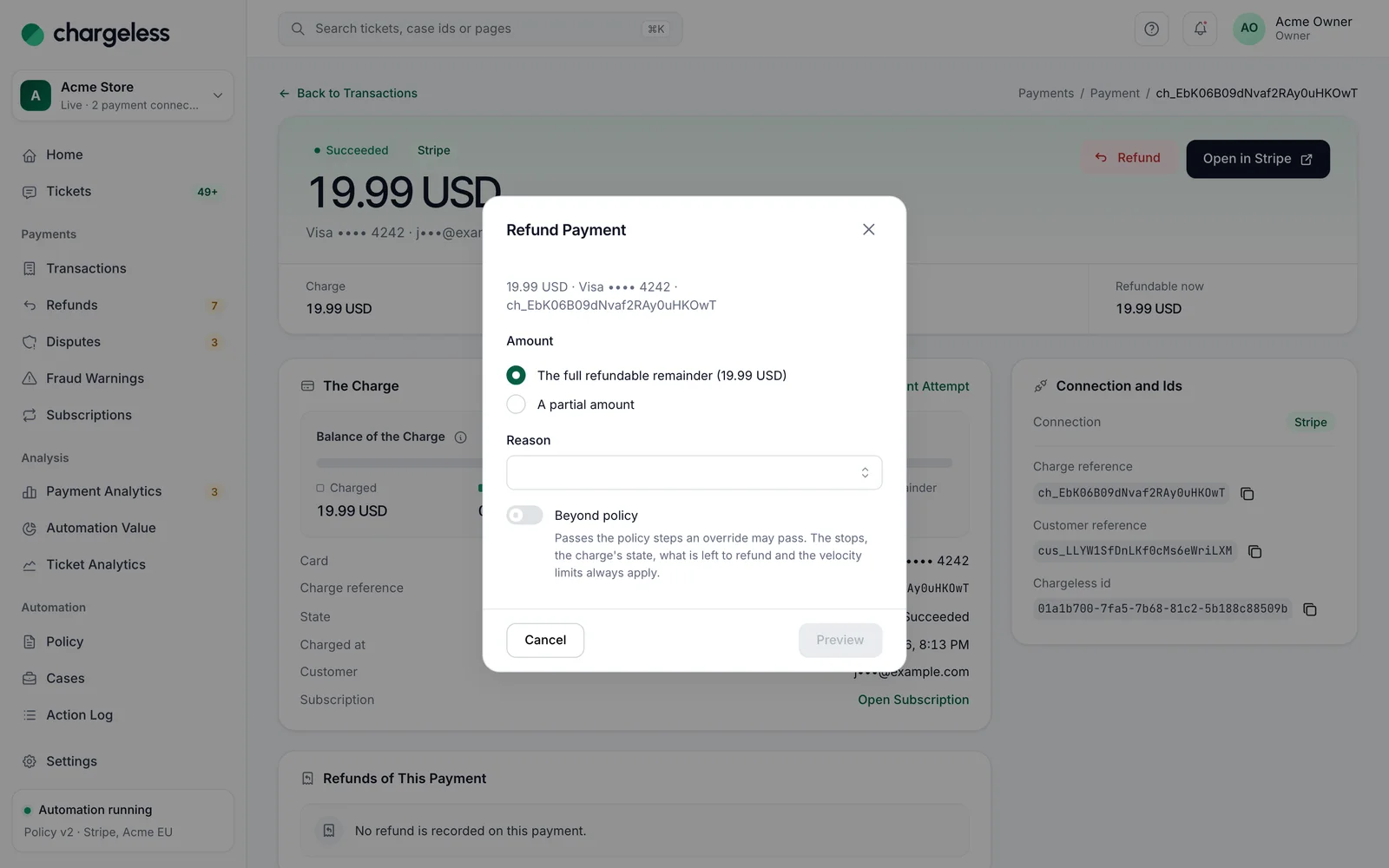
- Choose The full refundable remainder or A partial amount, and a Reason.
- Preview shows what the policy decides.
- Confirm with Refund {amount}. The money goes back to the customer's original payment method; a refund cannot be undone from Chargeless.
Owners and admins can switch on Beyond policy (authenticator code required); the same limits apply as for overrides from a ticket.
Cancel a subscription from the panel
A subscription's page has Cancel Subscription, with a policy preview first. On Stripe the subscription ends at once, with no refund for the rest of the period. Your own system may apply it later, for example at the period's end. Owners and admins can override the policy with an authenticator code; the stops, onboarding, the subscription's state and its connection's state always apply.
Payment Analytics
Payment Analytics (owners, admins, analysts) is read-only and never feeds a decision. Tabs:
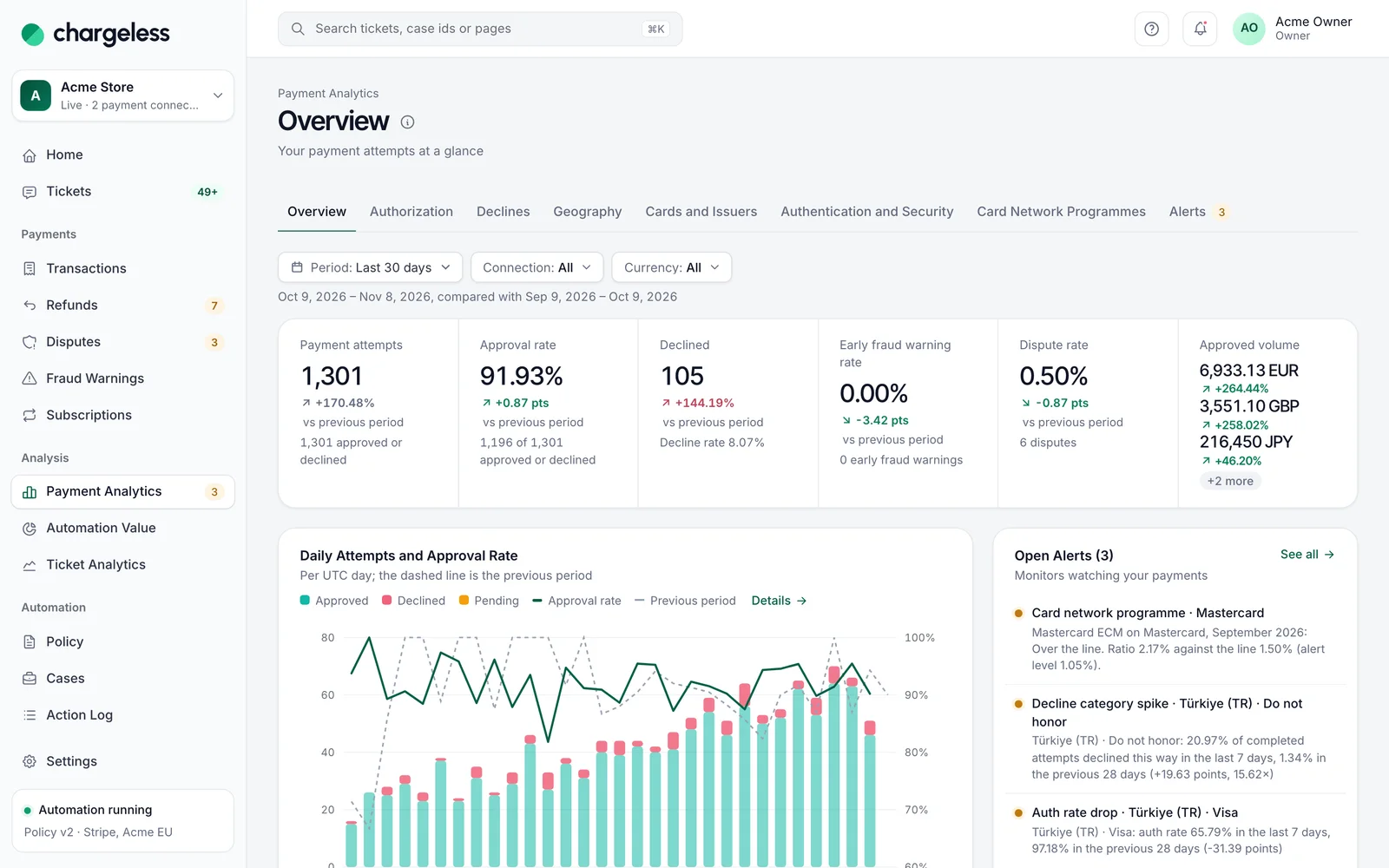
- Overview, Authorization, Declines, Geography, Cards and Issuers, Authentication and Security: approval rates and declines by card country, brand, funding type, issuer, BIN, decline category and decline code, network status, risk level, 3D Secure result, wallet, network token, the security code and address checks, and the cards with the most attempts.
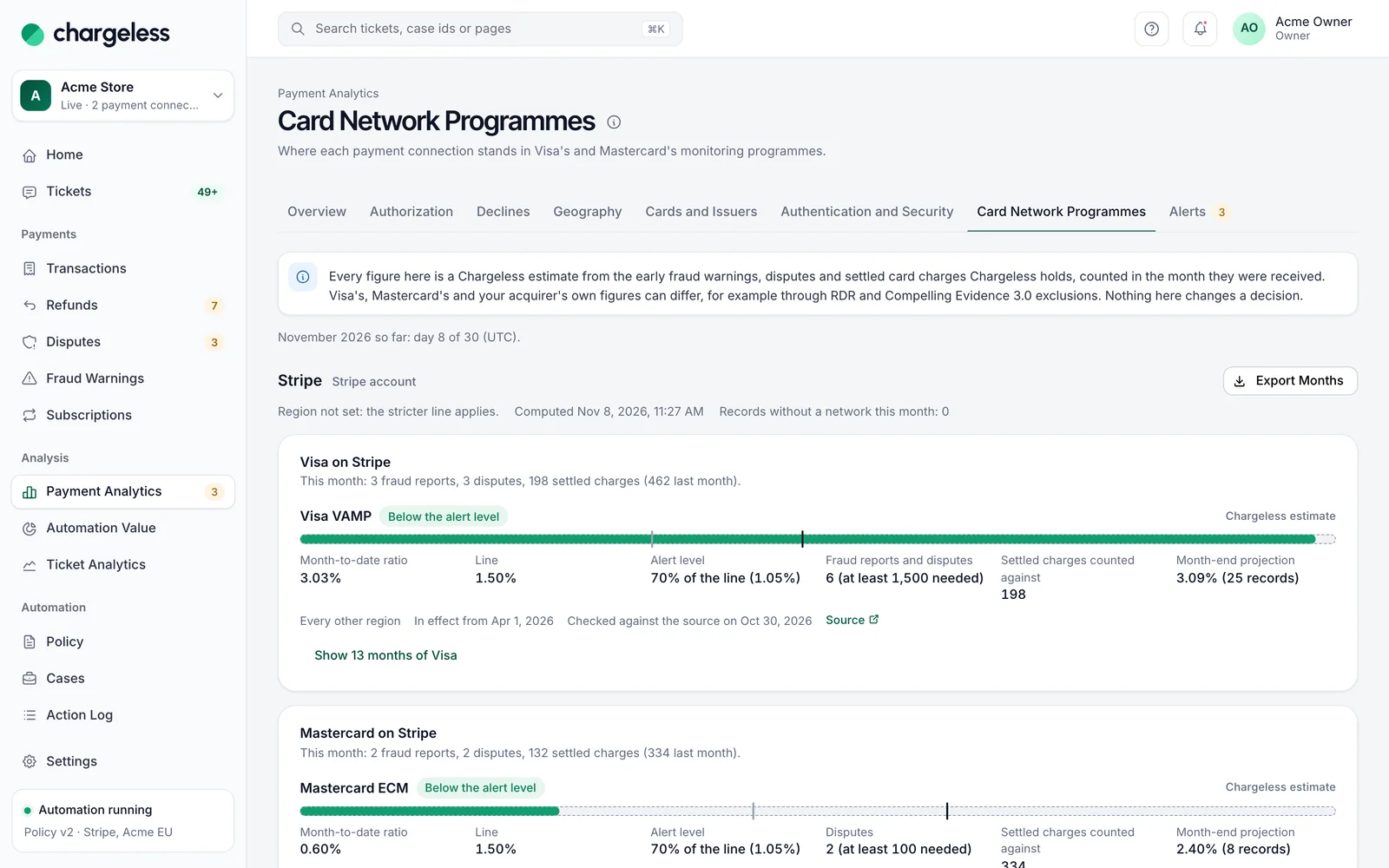
- Card Network Programmes: your fraud and dispute ratios against Visa's and Mastercard's monitoring programmes (VAMP, ECM/HECM), this month, projected to month end, and 13 months of history. Every figure is a Chargeless estimate, not the network's own number.
- Alerts: open and past payment alerts.
With Stripe, Chargeless receives the BIN and the issuer only when Stripe has enabled them for your account; ask Stripe support. Until then those breakdowns stay empty. Each payment's page shows every other detail Stripe sends: the security code and address checks, 3D Secure, wallet, network token, the outcome and Stripe's message, the capture and authorized amounts, and Other attempts with this card. A card is recognised by a code Chargeless derives from Stripe's card fingerprint; the fingerprint itself is never stored.
Payment alerts
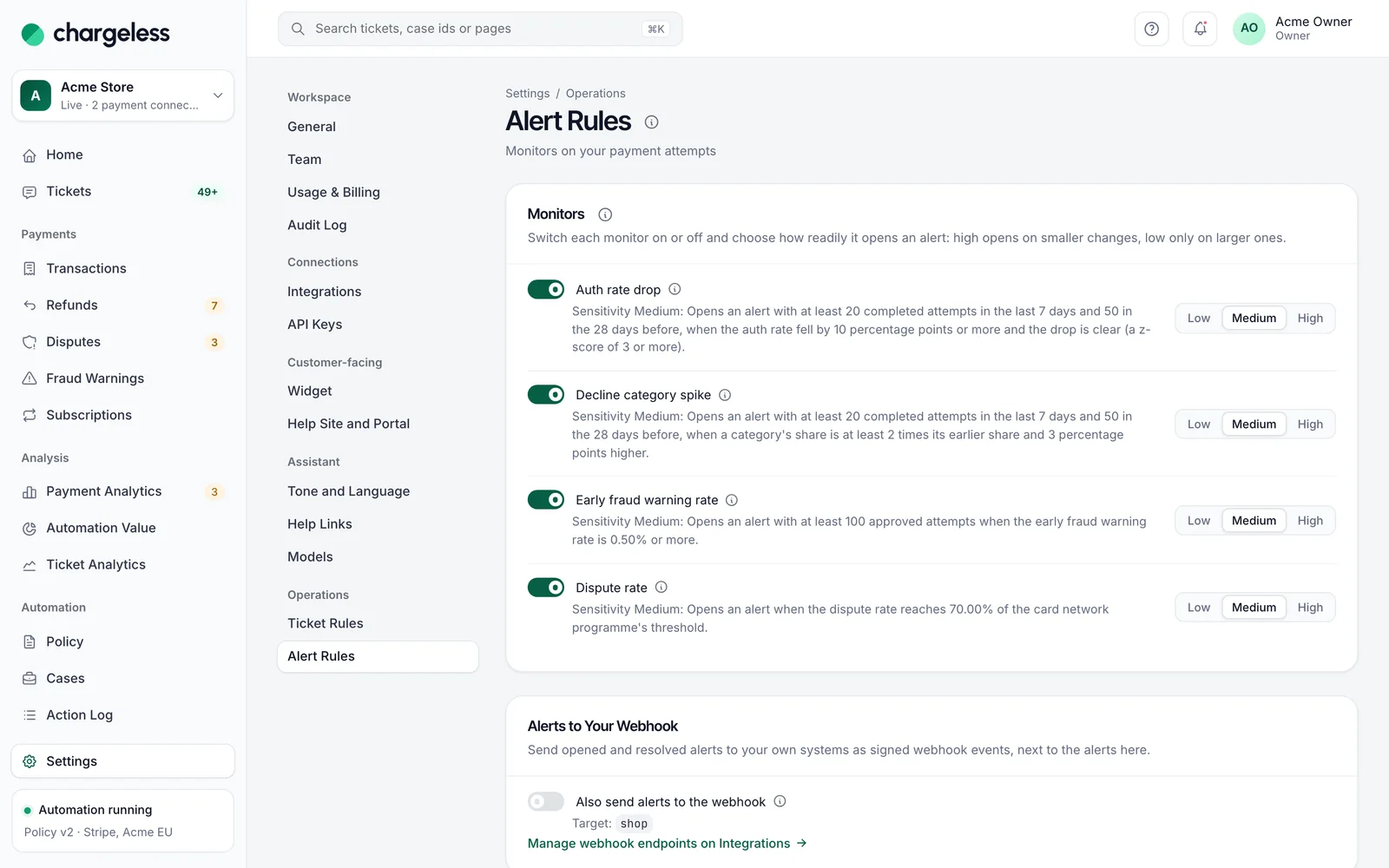
Settings → Alert Rules has four monitors, each with a switch and a Sensitivity (Low, Medium, High): Auth rate drop, Decline category spike, Early fraud warning rate, Dispute rate. They are checked every 5 minutes. A new alert shows on Payment Analytics and is emailed to owners and admins. Alerts only notify; they never change anything.
Also send alerts to the webhook sends payment_alert.opened and payment_alert.resolved to your handoff endpoint. Card network programme alerts have their own alert level, region and custom limits.
Automation Value
Automation Value answers "how much does Chargeless resolve on its own?". Every contact settles into one outcome 7 days after it ends: Resolved by an action, Answered (the customer did not come back within 7 days), Came back, Abandoned, To your team or Not settled yet. The Automation rate is resolved plus answered, over settled contacts; a customer who came back never counts as resolved.
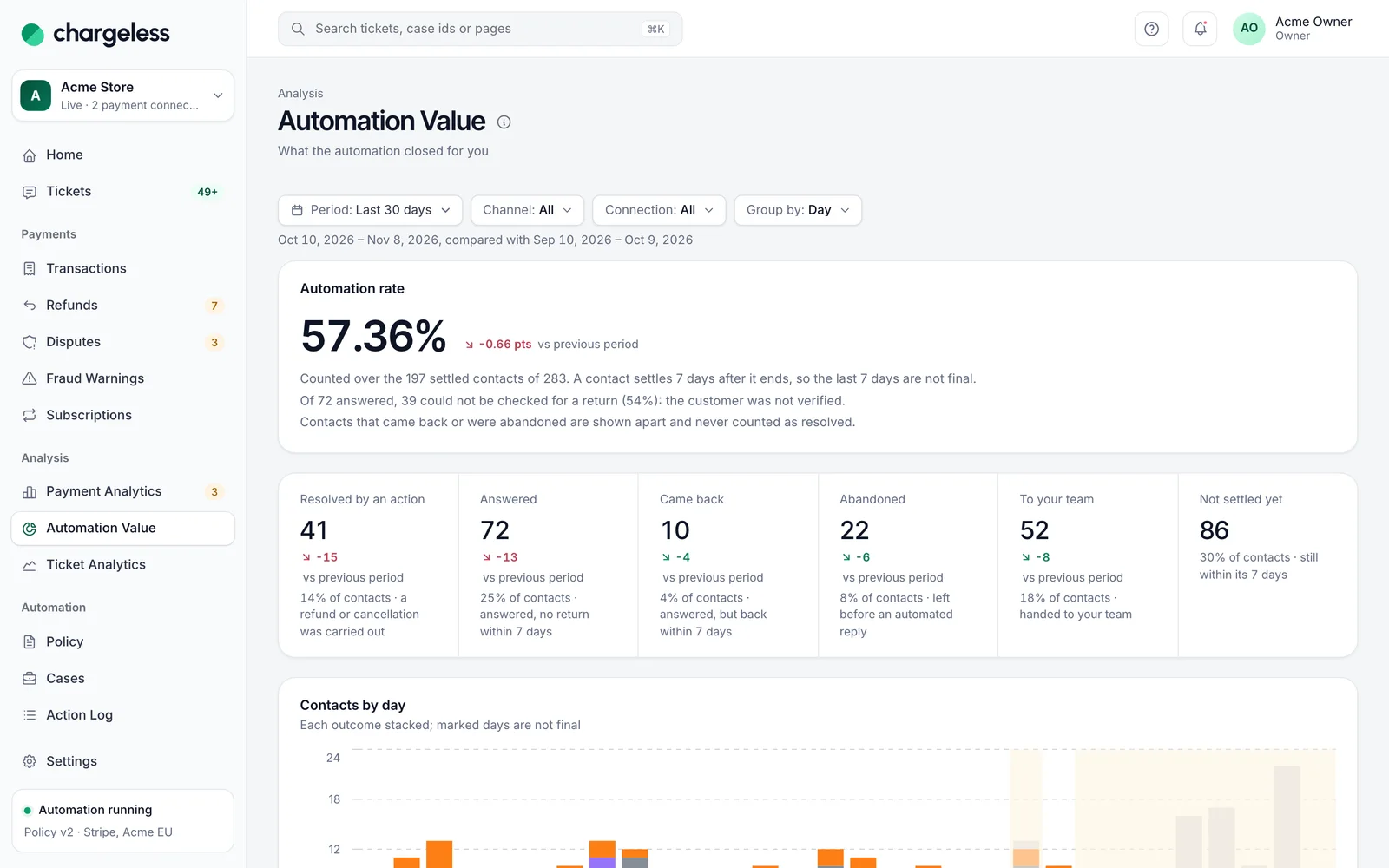
It also shows why contacts reached your team (with a link to try a policy change in the simulator), what the automation carried out (per currency), response times, contacts over target, figures by channel and what chat customers asked for.
Ticket Analytics
See Analysis → Ticket Analytics.
Usage & Billing
Settings → Usage & Billing (owners and admins) shows what this workspace used and what it pays, month by month. Chargeless counts it from your own decisions and payments, never from what the assistant said:
- Automated resolutions: contacts closed by a refund or cancellation, or answered, with no handoff.
- Other contacts: contacts that went to your team, came back within 7 days or were abandoned. Your plan includes a number of them each month; beyond that each one has a small fee.
- Retained subscriptions: a customer who wanted to cancel saw a retention offer, kept the subscription, and the next renewal was paid within 45 days.
- Prevented disputes: an early fraud warning refunded automatically. If a dispute still opens on that payment, the fee is credited back.
- Won disputes: disputes the automation answered with evidence and won.
The page shows the month's amount so far and its change from the previous month, your activity by day, your prices, the month's statement in US dollars (every item of your plan, the ones at zero too; every fee is a dollar amount, whatever currency your customers pay in), every success fee with a link to its case or subscription, and your past months. A month becomes final on the 2nd of the next month. A test workspace is counted and never billed.