Prevent chargebacks before they happen.
Fraud warnings refunded when your policy allows. Dispute evidence prepared and filed on time.
- Refunded early58%
- Evidence filed30%
- With your team12%
Early fraud warning
€84.00 · Mastercard
Chargeback · product not received
Due in 6 days
Evidence prepared and filed on time.
The payment, the customer’s history and the conversation, drafted and reviewed. A draft that fails review is replaced by standard evidence or handed off.
- Timed to the deadline
- Every draft reviewed
- Declined refunds included
Dispute evidence
Respond by 23 Oct
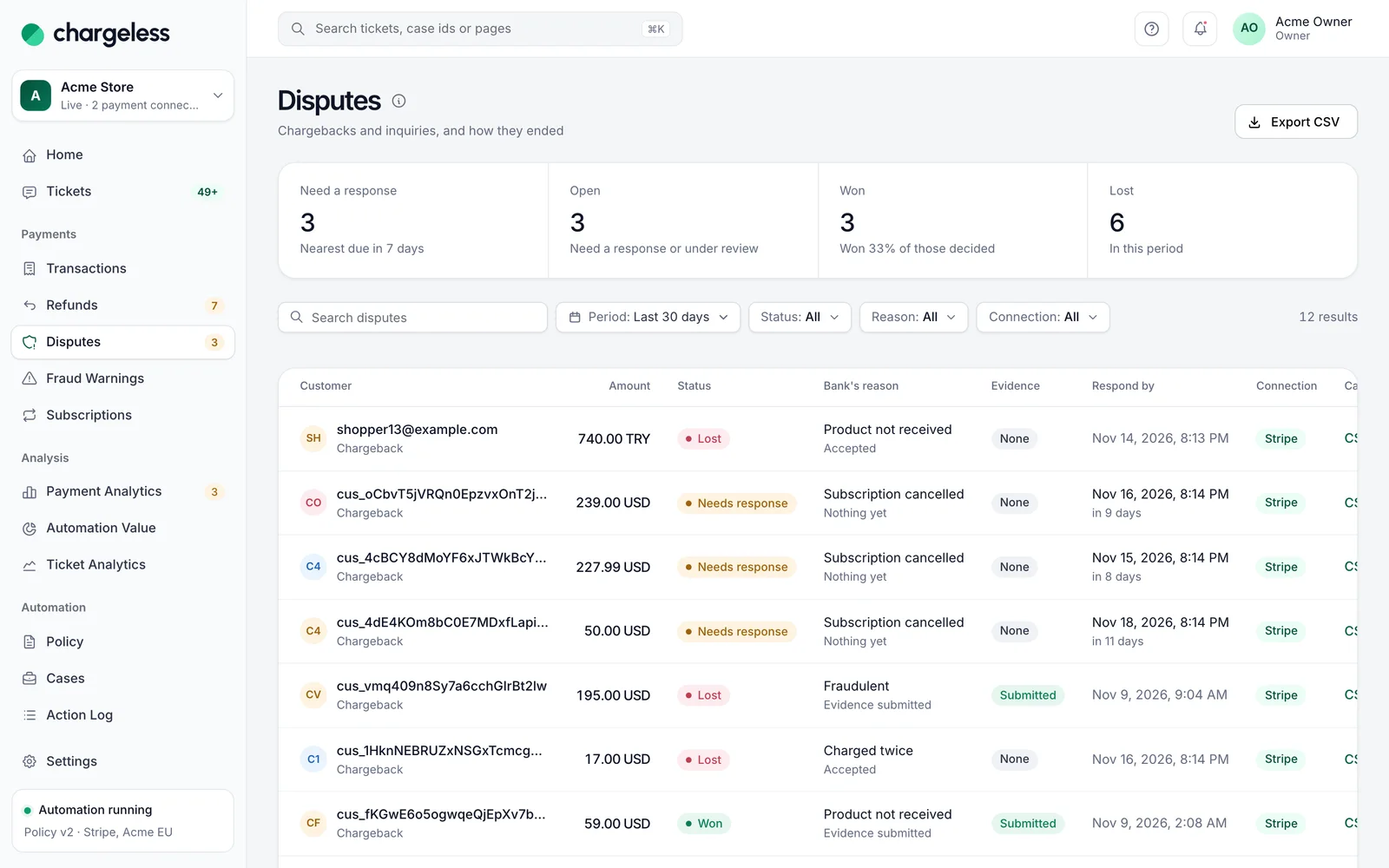
Every refund, dispute and warning in one place.
Refunds, disputes, fraud warnings and subscriptions, even those handled elsewhere, each linked to its case.
- History imported at go-live
- Each record opens its decision
- Home flags open chargebacks
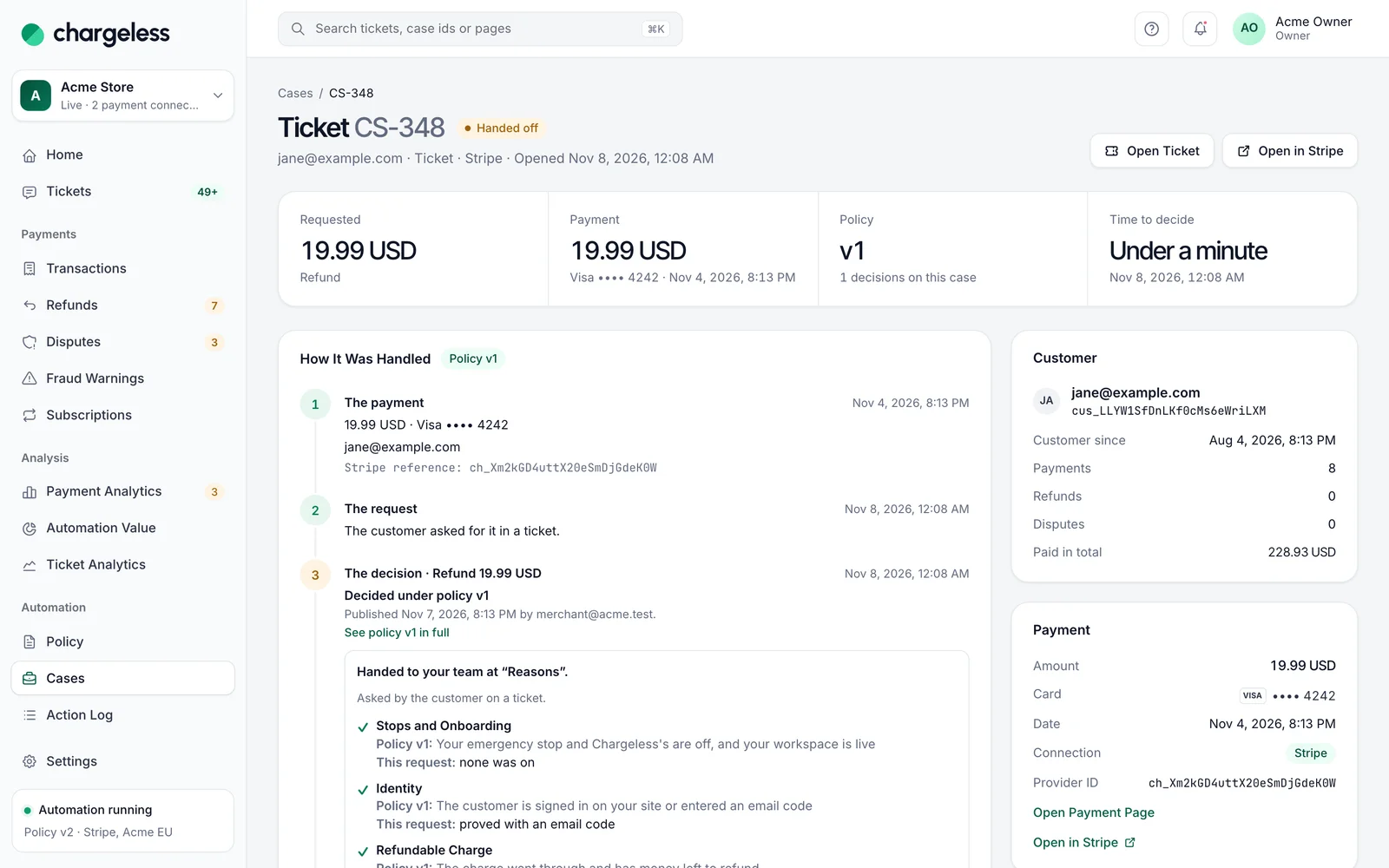
Every automated step, explained.
Each fraud-warning refund is a policy decision, stored with its version and data. Review it step by step.
- The deciding policy version
- Every check’s result
- The provider’s outcome
Frequently asked questions
See every question merchants ask, or ask us when you request access.
All questionsRequest early access01Are all fraud warnings refunded?
Only when your published policy allows it. Otherwise the warning is recorded and escalated to your team.
02Is the dispute response written by AI?
A model drafts it; rules and a second model review it. Nothing that fails is submitted, and the AI never submits.
03What if my team is already handling a dispute?
Once a dispute is escalated to your team, the automation never acts on it again.
Related
Start with low limits. Raise them when the record shows it works.
Start in test mode, run your policy against your own history, and go live when the results meet your standards.
- 1A test workspace on your provider’s test mode
- 2Your past requests replayed against your policy
- 3Live with low limits, raised as the record allows