Alerts that say what moved, and against what.
When a rate leaves its normal range, an alert opens in the panel, by email and, if you like, by webhook. Alerts only notify.
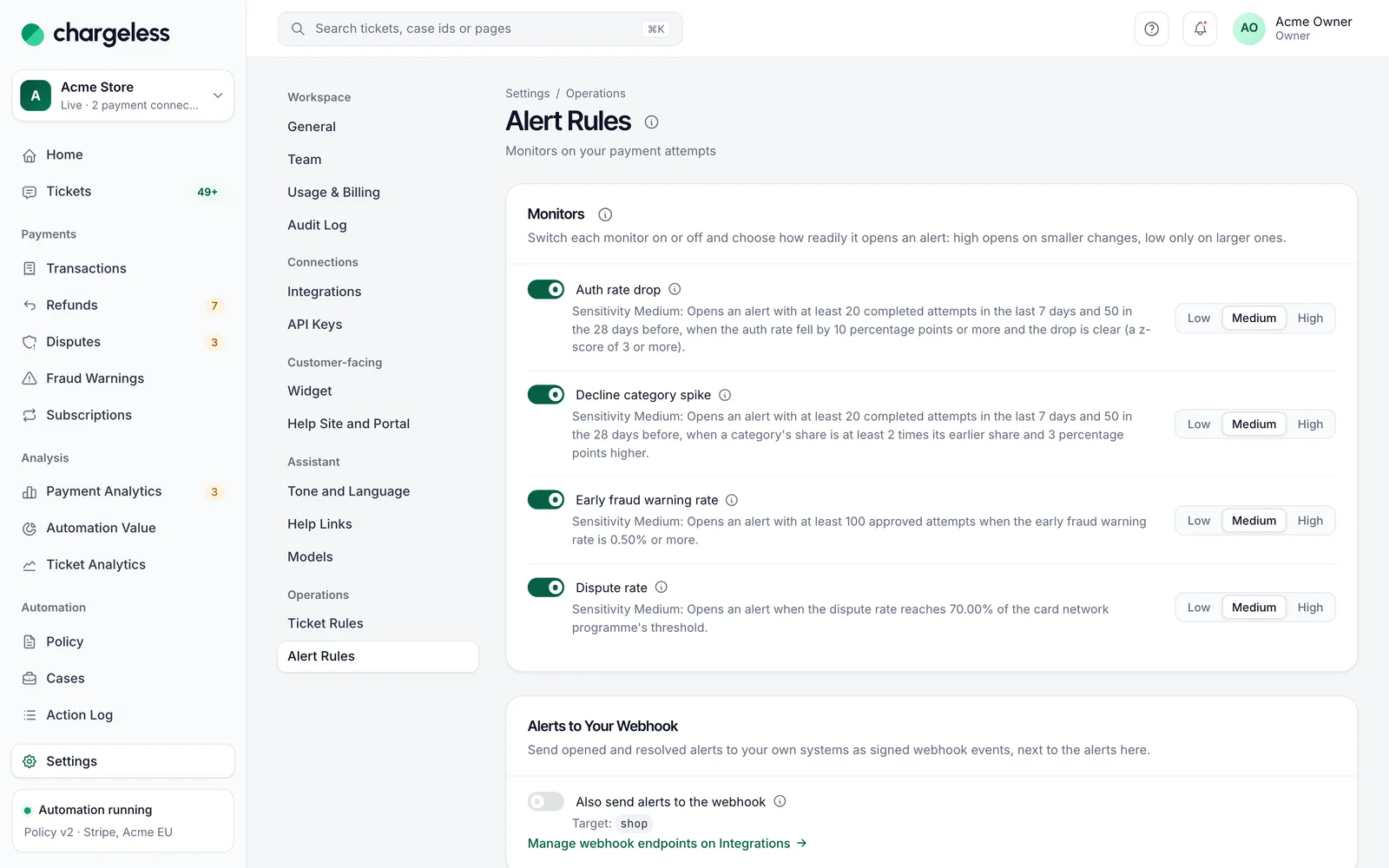
Four monitors, each with a sensitivity
Auth rate drop, decline category spike, early fraud warning rate and dispute rate. Each has a switch and a low, medium or high sensitivity, its rule stated in words.
- Auth rate and decline spikes
- Fraud warning and dispute rates
- Sensitivity per monitor
Checked every five minutes, explained in full
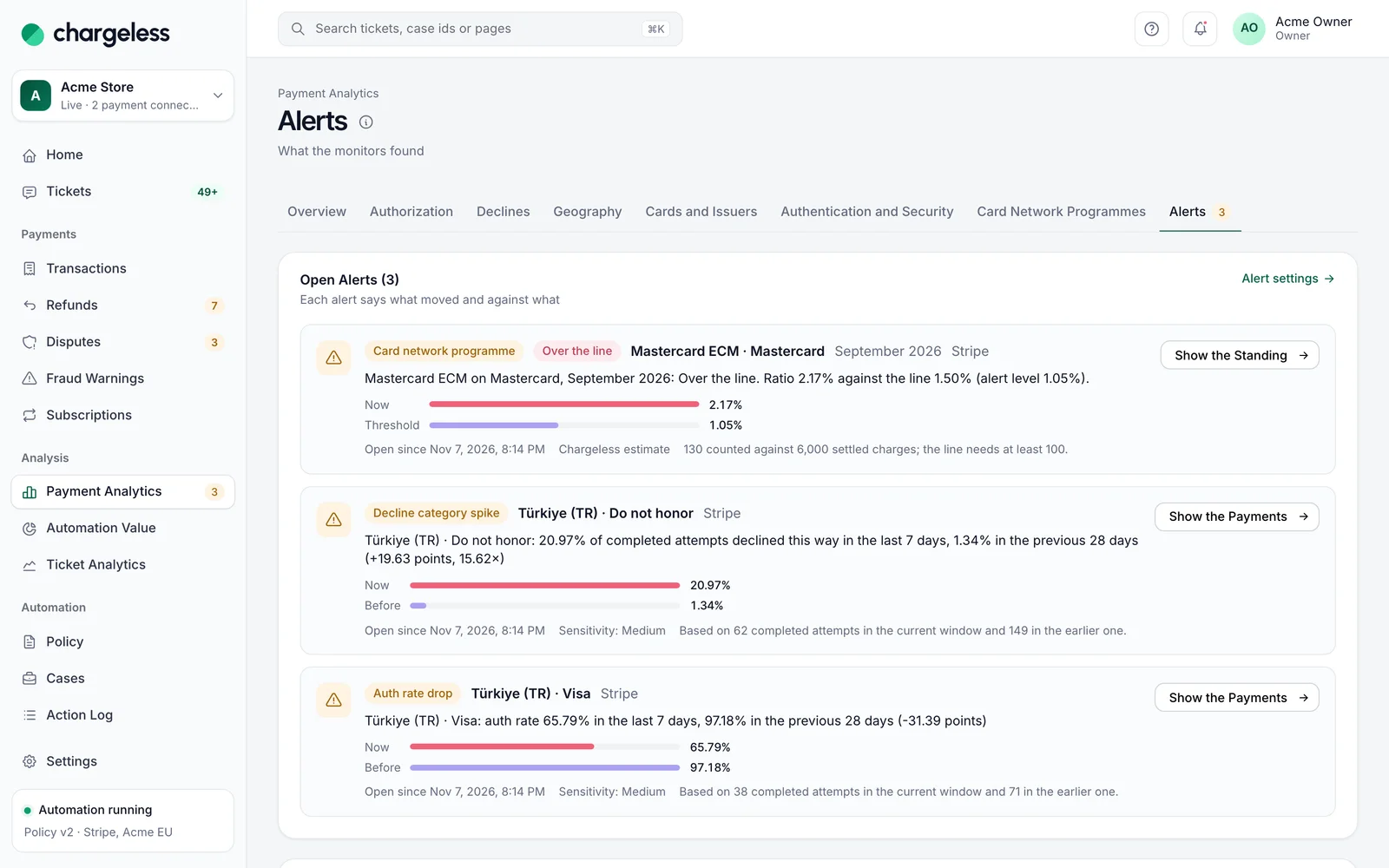
Each alert gives its scope, the rate now, its baseline and the attempts behind it. It closes on its own after two calm checks.
- Scope, rate and baseline
- One click to the payments
- Closes after two calm checks
In the panel and in one digest email
Open alerts show on Payment analytics with a badge in the menu. Owners and admins get one digest email.
- A badge in the navigation
- One digest per workspace
- Past alerts keep their reason
Payment alerts
Authorization rate dropped
Visa · Türkiye · last 7 days
Decline spike: do not honor
Türkiye · last 7 days
Close to a dispute programme
Dispute ratio this month
Signed webhooks for your own systems
Send opened and resolved alerts to your endpoint as signed events, for your team chat or incident tool. Deduplicate on the event id.
- payment_alert.opened / resolved
- Signed with your secret
- Retried for about a day
# Signed webhook
POST https://yourapp.example/hooks
X-SupportRoute-Event: handoff.requested
X-SupportRoute-Timestamp: 1761210000
X-SupportRoute-Signature: v1=4b7d…90ce

{
  "type": "handoff.requested",
  "data": {
    "decision": { "reasons": [{ "code": "outside_window" }] },
    "ticket": { "number": 1182 }
  }
}
More in Payment analytics
Start with low limits. Raise them when the record shows it works.
Start in test mode, run your policy against your own history, and go live when the results meet your standards.
- 1A test workspace on your provider’s test mode
- 2Your past requests replayed against your policy
- 3Live with low limits, raised as the record allows